True WordPress Multisite Support
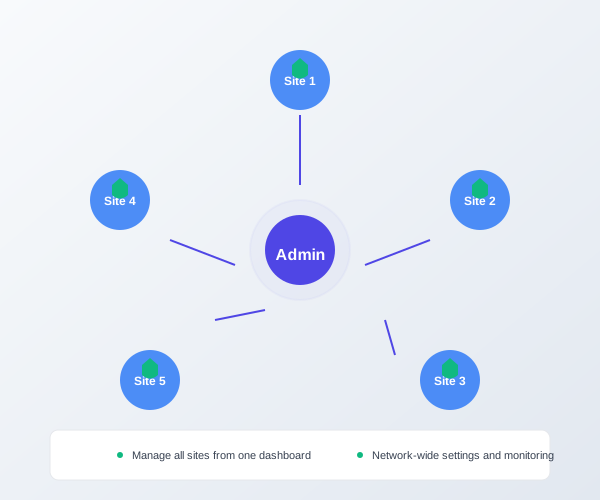
Stop installing plugins on each site individually. WP 1 Click LockDown's native multisite support lets you manage all network sites from one dashboard with network-wide settings or per-site customization.
True WordPress Multisite Support
Managing security across multiple sites used to require installing and configuring the plugin on every single site. WP 1 Click LockDown's native multisite support lets you manage all sites from one dashboard with network-wide settings or per-site customization.
Network-Wide Dashboard
Monitor and manage all sites from the main network admin panel
Network-Wide Settings
Apply consistent security policies across all network sites
Per-Site Customization
Override network settings for specific sites when needed
Multisite Reporting
Export security reports for all sites or individual ones
Multisite Security Challenges
The Problem
- Installing plugins site-by-site is error-prone
- Security settings drift across sites
- Monitoring each site separately takes forever
- No centralized reporting or audit trail
WP 1 Click LockDown's Solution
- Install once, protect all sites automatically
- Network-wide settings keep sites in sync
- Monitor all sites from one dashboard
- Export network-wide security reports
Network-Wide vs Per-Site Settings
Network-Wide Settings
Apply consistent security policies across all network sites:
- Anti-spam filtering rules
- Brute force throttling
- Security header configuration
- XML-RPC blocking
Per-Site Customization
Override network settings for specific sites when needed:
- Custom login URLs per site
- Site-specific spam rules
- Per-site lockout thresholds
- Individual site whitelists
Technical Requirements
Multisite Setup
- ✓WordPress 4.6+
- ✓Multisite enabled and configured
- ✓Network admin access required
- ✓PHP 7.2+ recommended
Installation
- 1. Download WP 1 Click LockDown plugin ZIP
- 2. Upload to /wp-content/plugins/
- 3. Network activate from plugins screen
- 4. Access from Network Settings menu
Ready to Secure Your WordPress Network?
Get multisite security management under control with WP 1 Click LockDown.
Trusted by these site owners: